
Incident reports
Guided reports from a person's own phone for an injury, an illness or a mental health concern, at any hour.
Platform
People report and check in from their phone. Case managers, team managers and organisations each see what they need to act. Nothing to re-enter, nothing to chase.
Built for every role
One case, shown to each person in the way that helps them act.
01 · The individual
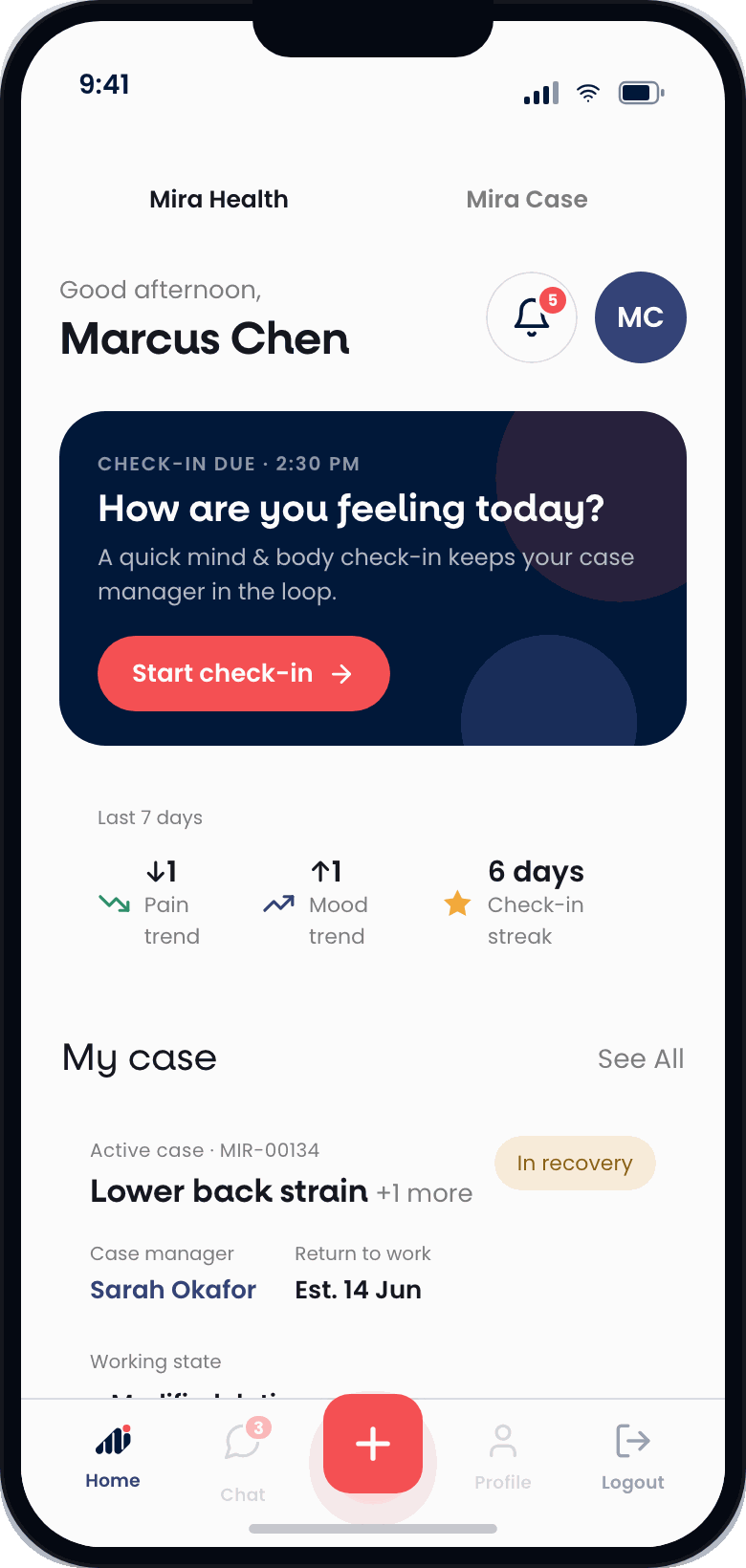
Report an incident from the site, the field or the clinic. Check in on pain and mood in under a minute. See the plan, the return date and who is managing the case, and message them directly.
02 · The case manager
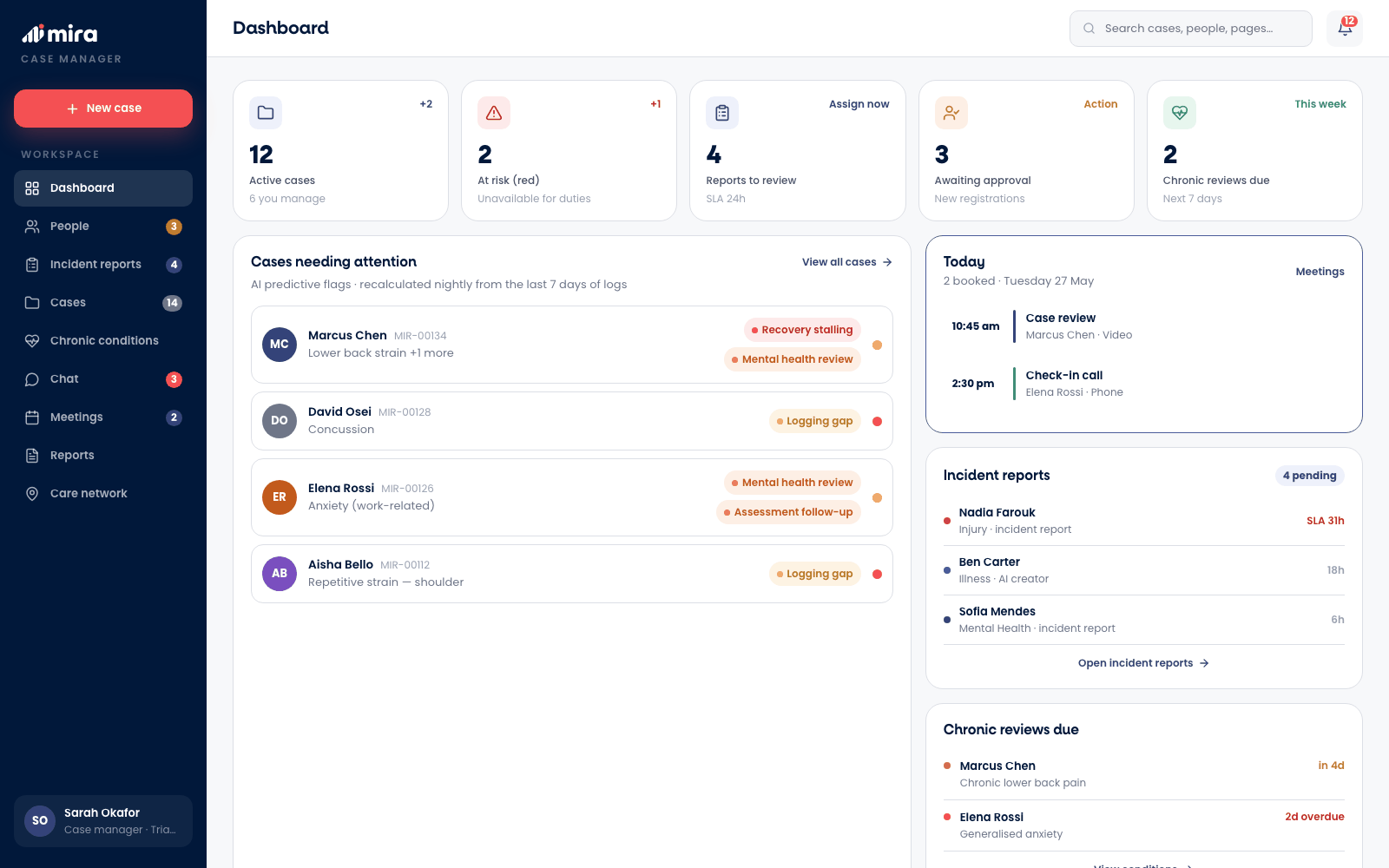
The caseload, new incident reports, chronic reviews falling due and predictive flags that bring quiet cases to the top before they stall. Notes, recovery plans and check-in history are kept here and nowhere else.
Case manager · web
03 · The organisation
Open cases, early intervention, notifiable incidents still due and wellbeing across the organisation. Enough to run governance and plan the workforce, with personal detail kept out of reach.
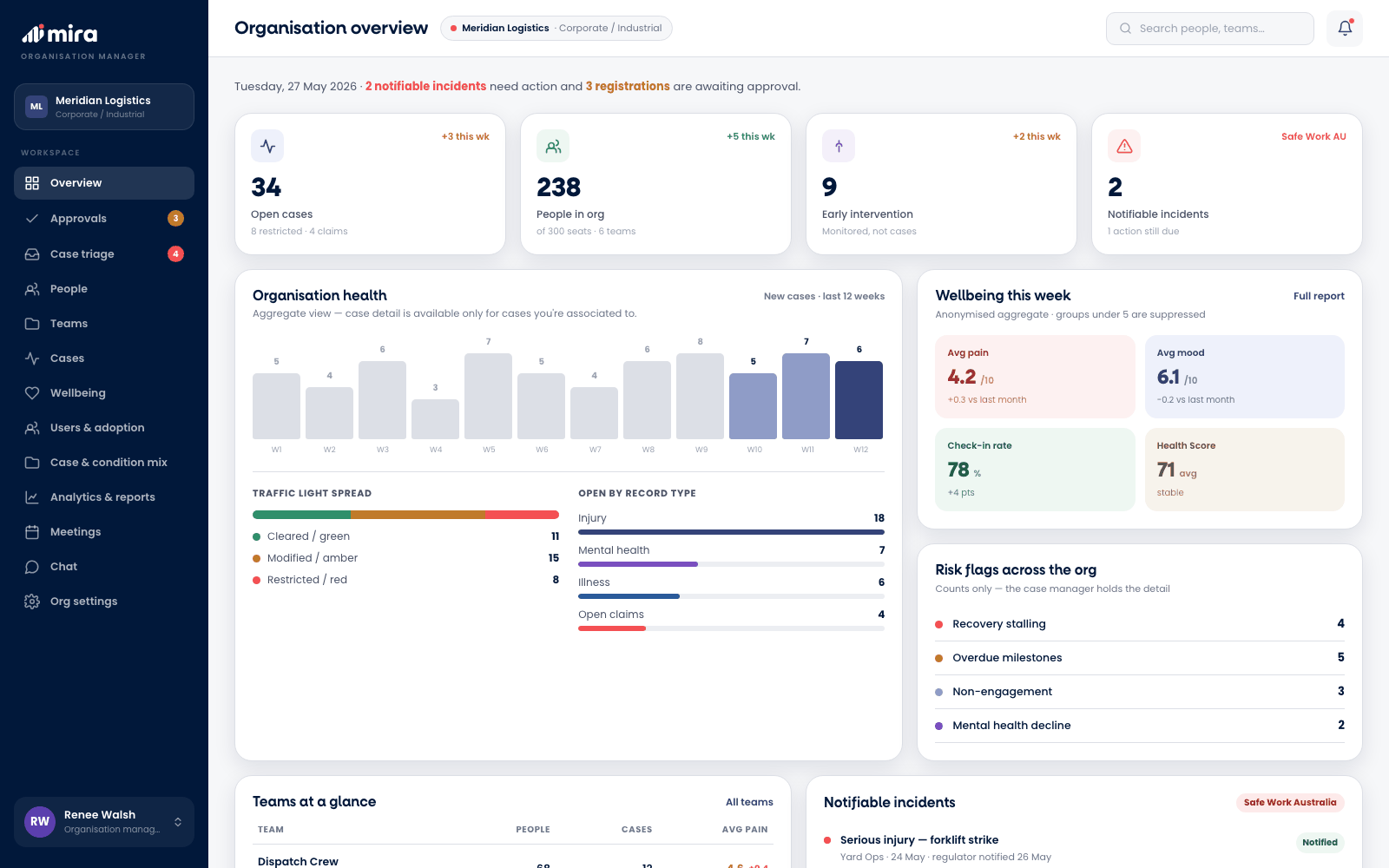
Organisation manager · web
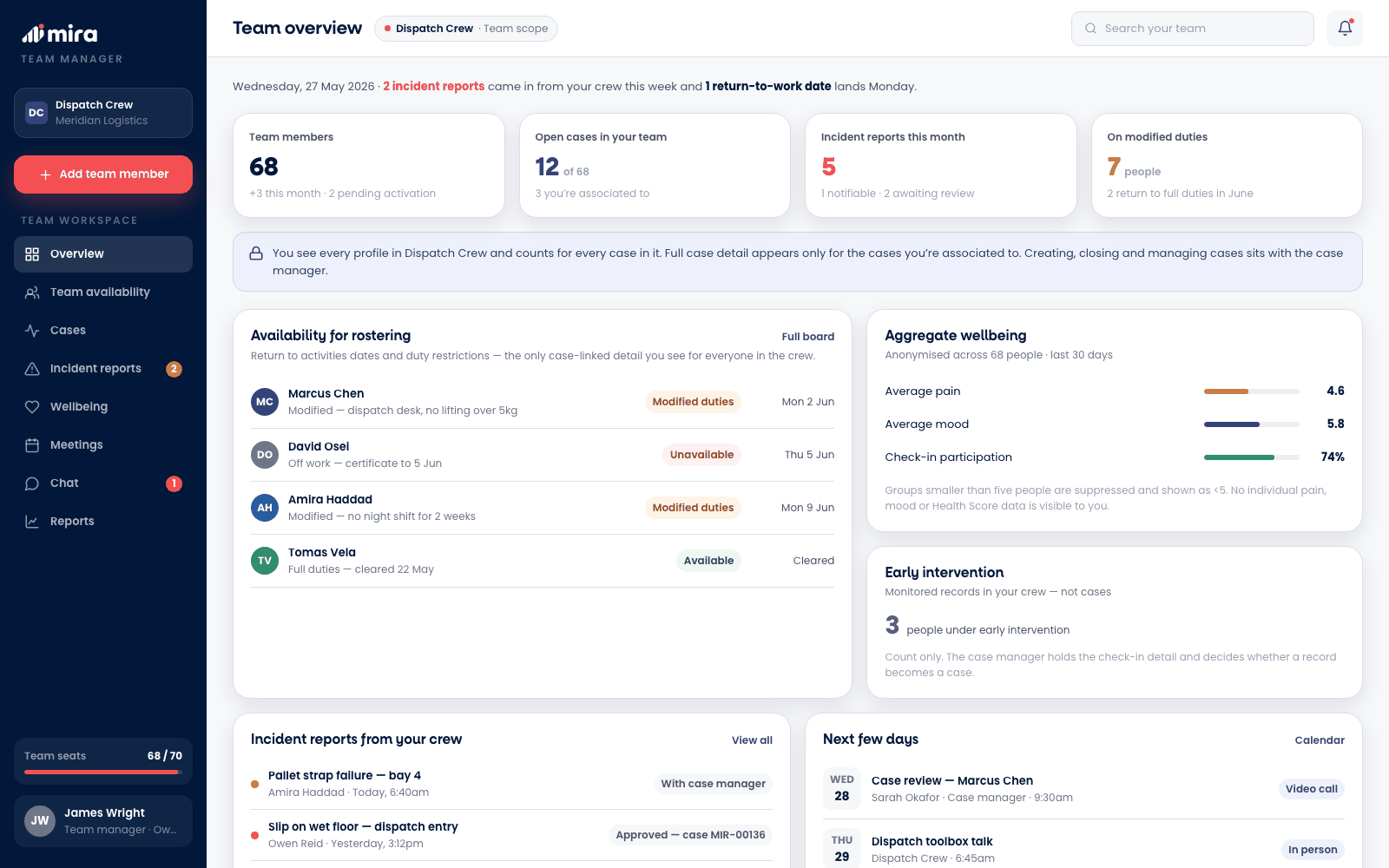
04 · The team
A team manager needs to know one thing: who is available, for what, and from when. Mira shows exactly that, return dates and duty restrictions, and nothing more.
Team manager · web
What people can report
From their own phone, in a couple of minutes, people tell their case team what happened. Mira asks the right questions for each kind of report, so every case starts with real detail.
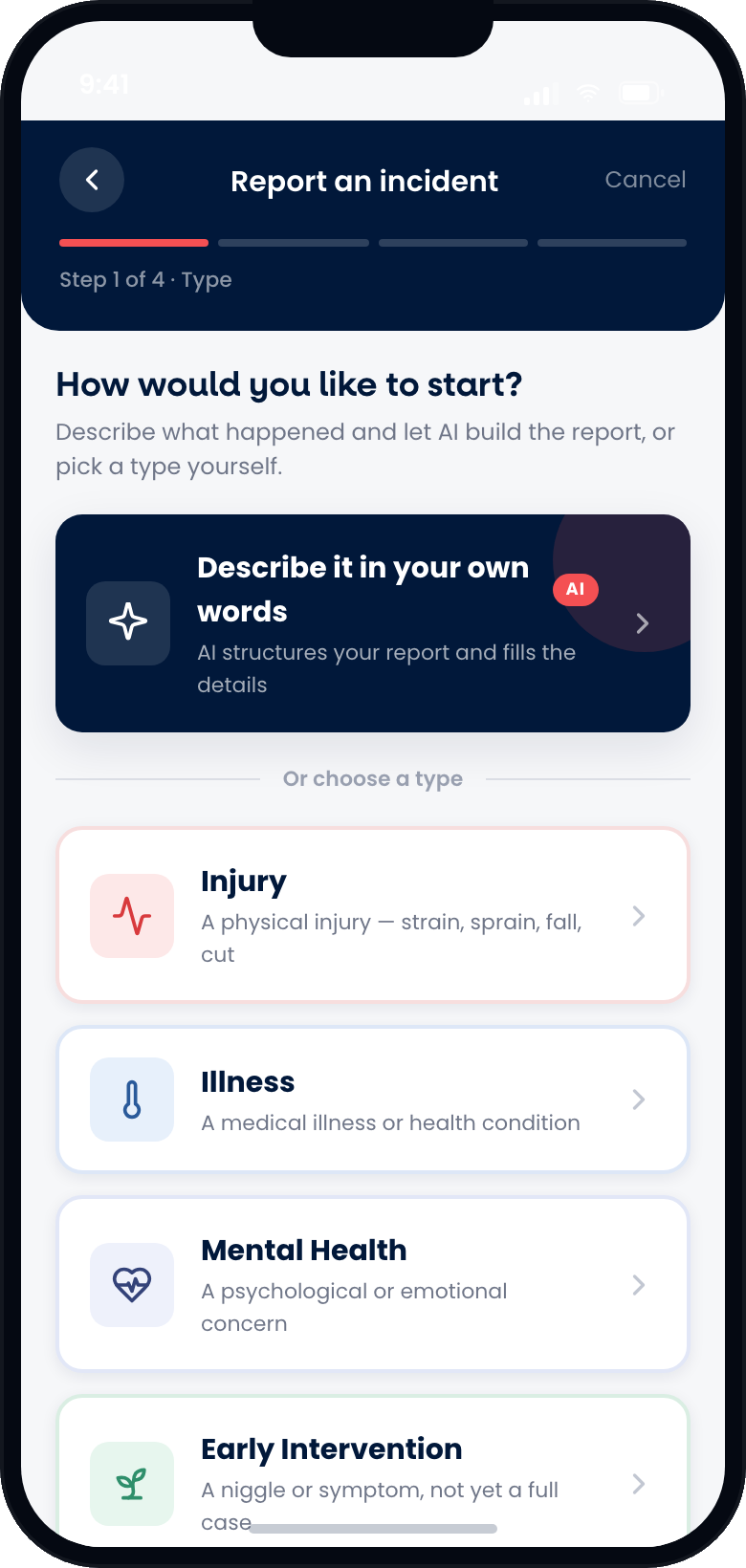
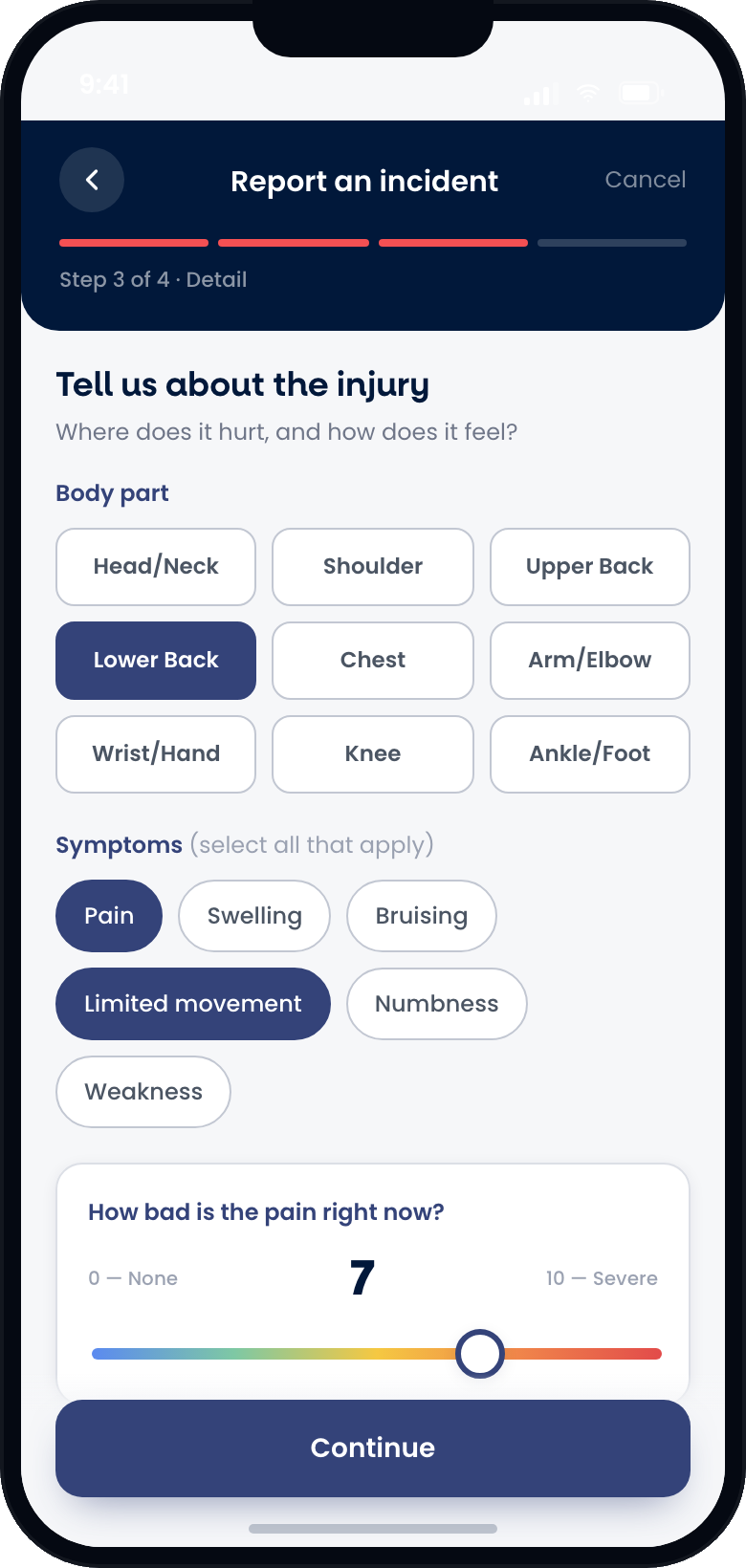
Strains, sprains, falls and cuts. People pick the body part, describe the symptoms and rate the pain, so the case starts with the facts.
From a virus to a flare-up. People say what kind of illness it is, how long it has lasted and whether it is linked to their work, sport or a chronic condition.
Stress, anxiety or low mood, raised privately and in their own words, so support can start before things get harder.
Not sure which to pick? People can simply describe what happened, and AI drafts the report for them to check.
Early intervention
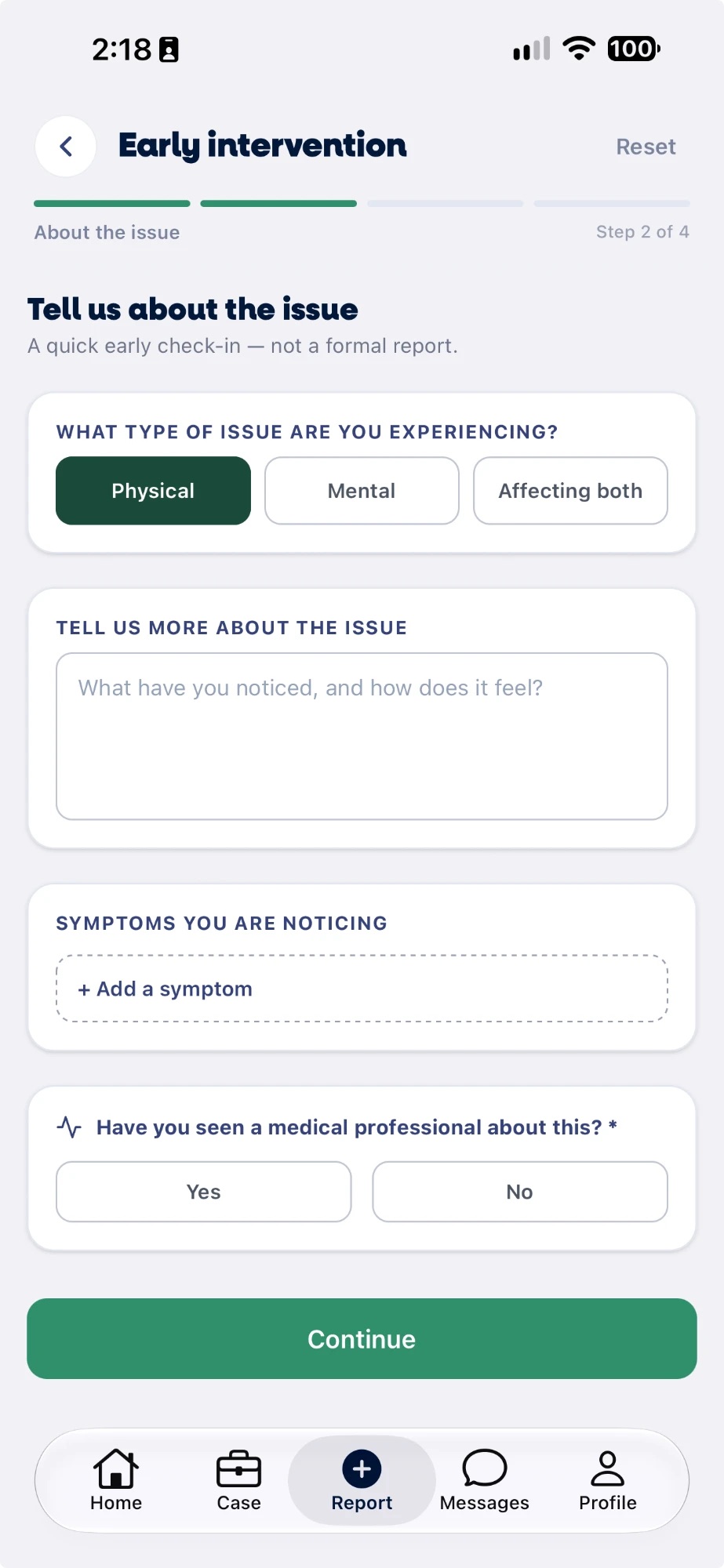
Not everything needs a full case. Early intervention lets someone flag a niggle or a symptom the moment they notice it. It is watched, not managed: no case team to set up and no recovery plan to write, just an early eye on it.
What the evidence says
Source: Comcare, Evaluation of the Early Intervention Service Pilot, May 2020
Chronic conditions
Some conditions do not end with a return date. Mira keeps each ongoing condition as its own record with its own review cycle, so it is looked after steadily rather than one flare-up at a time.
AI in Mira
AI helps in two places. Describe with AI turns a plain-language account into a structured report for a person to check. Predictive flags review check-ins overnight and bring the cases going quiet to the top of the list.
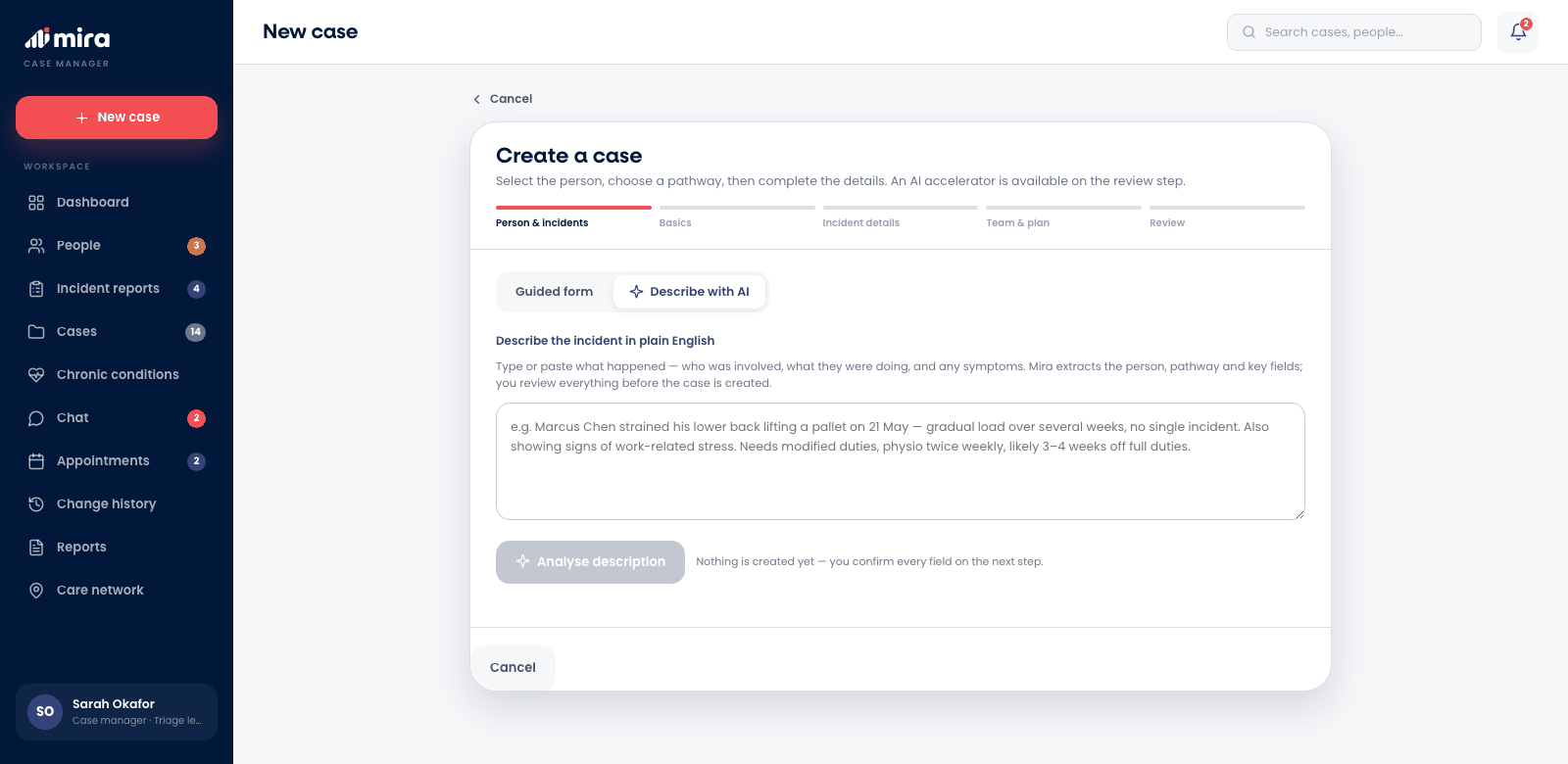
Describe with AI · case manager
Everything in Mira
Guided reports from a person's own phone for an injury, an illness or a mental health concern, at any hour.
New reports land in a triage queue with a priority and a response countdown, so nothing waits unseen.
A niggle or symptom kept in view before it becomes a case, and promoted to one if it escalates.
Ongoing conditions on their own review cycle, with new incidents linked to the condition they relate to.
A defined case team, notes that cannot be altered, documents and a full journey from opening to closure.
Reviews, check-in calls and specialist appointments booked with the case team, in person, by phone or by video.
One conversation per case between the person and their case team, with documents shared right in the thread.
Caseload, status, uptake and compliance reporting for teams, organisations and the whole account.
People sign themselves up and an administrator approves each one, or adds a whole group at once.
Overnight, the cases going quiet rise to the top of the case manager's list.
An independent network of clinical providers vetted by Specialist Direct, a referral away.
A clear history of what changed, when and by whom, kept with every case.
Get started
A 20-minute walkthrough of the platform, set up around how your organisation manages injury and recovery.